Midvale
Tech Support

Local. Affordable. Software-only PC services — right in your home.

Serving Midvale, Ohio since 2026
What We Offer

Services & Pricing

Quick Browser Clean & Protect
Removes extension spam and notification junk. Installs uBlock Origin to keep ads and pop-ups away.
$25
New PC Out-of-the-Box Setup
Removes trial bloat, disables telemetry, sets up a clean local account, and gets your new PC ready to use.
$70
Deep System Cleanup & Optimization
Full software cleanup, startup tuning, cache sweeps, and malware scan. Makes your PC feel like new.
$60
Windows 7 Legacy Revival
Specialized cleanup and security hardening for Windows 7 machines. Includes browser and antivirus deployment.
$65
Printer Setup & Troubleshooting
Gets your printer talking to your PC again. Driver reinstalls, spooler fixes, and connection issues covered.
$20
Windows 7 Upgrade
Upgrades your Windows 7 PC to feel brand new once again. Contains everything in New PC Out-of-the-Box Setup, and installs Windows 10 or 11 on your old PC.
$140
Security Hardening
Makes your PC more secure, and less virus or pop-up prone. Sets up proper settings, telemetry, and DNS and security. This will not fix existing pop-ups.
$40
PC Debloat
Removes bloat added by Windows 11 from your computer, and makes it faster! Disables Telemetry, Copilot, Bing Results, and much more.
$55
Factory Reset
Resets everything on your PC, so you can start fresh! Deletes files. You can also choose to switch to either Windows 11/10 from the other with this.
$80

Bundles & More

Full System Cleanup 15% OFF
Contains Quick Browser Clean & Protect, Deep System Cleanup & Optimization, and Printer Setup & Troubleshooting!
$105$90
Performance Bundle 10% OFF
Contains PC Debloat, Deep System Cleanup & Optimization, and Quick Browser Clean & Protect.
$140$125
New PC Bundle 13% OFF
Contains Security Hardening, and either Factory Reset, or New PC Out-Of-The-Box Setup!
$120$105
Security Bundle 10% OFF
Contains Deep System Cleanup & Optimization, and Security Hardening!
$100$90
No software solution found? If I can't identify a software fix for your issue, you won't be charged a diagnostic fee.
The Process

How It Works

Submit the Form
Fill out the booking form below with your details and what you need.
Send Your Video
A quick 10-second clip from your front door to your PC so I can prepare properly.
We Schedule
I'll confirm your appointment by email once everything checks out.
Job Done, Pay Cash
I walk you through everything I did. You pay the flat rate in cash. That's it.
Know Before You Book

What I Don't Do

No hardware repairsNo opening cases, replacing parts, fixing broken screens, keyboards, or mice.
Most work on Windows 7We only do the Windows 7 Revival and Windows 7 Upgrade on Windows 7.
No Mac or LinuxWindows 7, 10, and 11 only. Apple and Linux devices can't be helped.
No digital paymentsCash only, paid immediately after the job is done.
No guarantees on failing hardwareIf your drive or hardware is already damaged, software fixes have limits.
No refundsAll sales are final once payment is accepted. See return visit policy in the booking form.
Common Questions

FAQ

Most jobs take between 30 minutes and 2 hours depending on the service. Browser cleanups are quick. A full system cleanup or new PC setup takes longer. I'll give you a better estimate once I see your setup video.
Yes. I walk you through everything I did at the end of the visit, so you need to be present. It also helps if you can answer questions about your setup along the way.
A short 10-second video helps me see the path from your front door to your PC, check whether it's a desktop or laptop, and make sure I bring the right tools. It's quick and makes the actual visit go smoother.
Probably yes. I work on Windows 7, 10, and 11 machines of all ages. The only exception is if the hardware itself is failing — a software cleanup can't fix a dying hard drive, but I'll let you know if that's the case before charging you anything.
If you believe the issue was caused by something I did, email me with proof within 48 hours and I'll come back for free. One free return visit per job.
My current service area covers most of Midvale. Some areas are available on request. Check the service area map on this page to see where you fall. Almost any house in Midvale is covered, and if yours falls outside the service area, you still may be given a visit if you apply. SOME areas of Barnhill may be too, but that is less likely.
Coverage

Service Area

Current Service Area
Service Available on Request
Outside Area — Coming Soon
Branding

Our Wallpaper
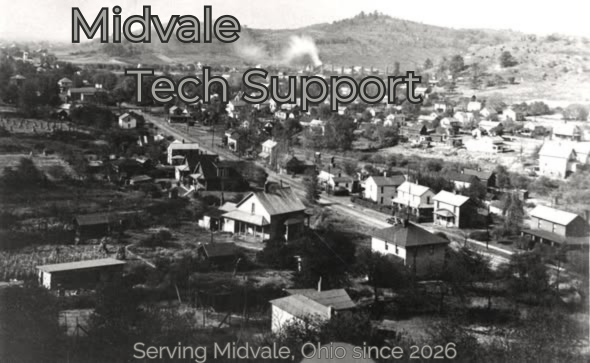
Midvale Tech Support Wallpaper

This wallpaper is installed on every PC we service so you always know who to call.

Get Started

Book a Visit

Customer Feedback

What Clients Say

★★★★★

"It's empty here..."

"You could be the first to send a review!"

—Easton